

The Definitive Guide to a Digital PO Box in Singapore
Navigating ACRA Compliance: Using a Virtual Address for Company Registration
The most critical function of a virtual office for many businesses is serving as a registered address for company incorporation. Singapore's Accounting and Corporate Regulatory Authority (ACRA) has specific requirements that must be met. Failure to comply can lead to registration delays or legal complications.
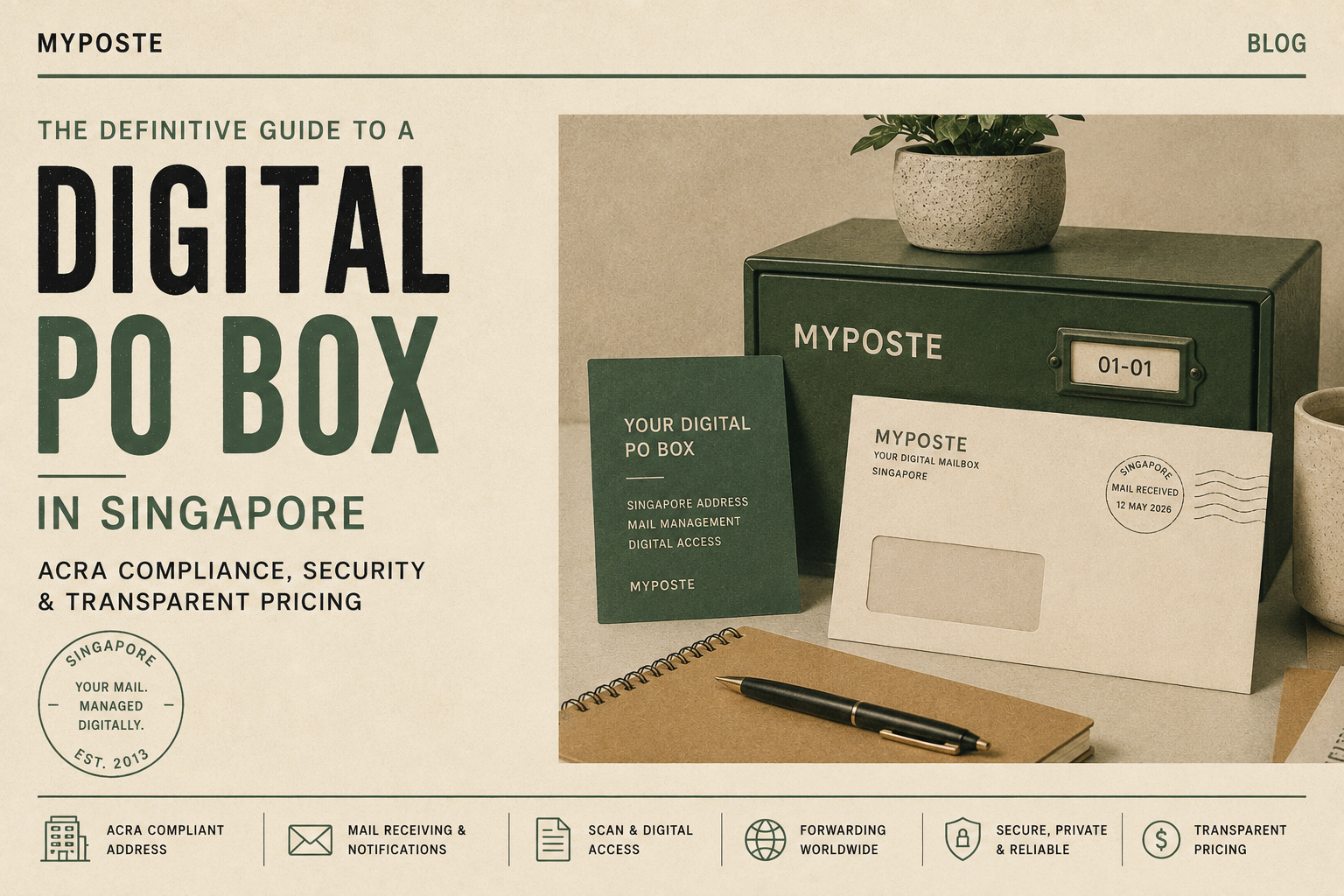
Singapore digital mailbox guide
A Singapore mailing address.
Mail you can manage remotely.
Choosing a digital PO box? Start with the right address, understand how your mail is handled, and compare the full cost before you subscribe.
A digital PO box combines physical mail receipt with remote services such as arrival notifications, requested content scans and forwarding. A virtual office may also offer an address for business use. These terms describe services, so always check what a particular plan actually permits.
This guide covers registered office requirements, privacy, fees, everyday workflows and unusual deliveries, followed by a practical provider checklist.
01 / ADDRESS & REGISTRATION
Can a digital PO box be used as a company registered office?
A mailing subscription and a company registered office serve different purposes. Do not assume that a service described as a “digital PO box” is suitable for registration: check the physical premises, public accessibility and permitted use of the plan.
ACRA requires a Singapore registered office that can receive communications and notices. It must be open and accessible to the public for at least three hours during normal office hours each day, excluding Saturdays, Sundays and public holidays. The registered office can be separate from the place where business activities take place. See ACRA’s registered office requirements.
Before using a provider’s address
- Confirm the intended use. Explain whether you need personal mail, business correspondence or a company registered office. Ask for written confirmation that the selected service permits that use.
- Check the location and access. Verify the full street address, unit number, postal code and public opening hours. A mailbox number alone does not establish that registered office requirements are met.
- Keep the agreement. Retain evidence of permission to use the address and the provider’s responsibilities. Follow the current Bizfile application requirements; do not assume a consent letter must always be uploaded.
- Check official correspondence handling. Establish how notices, signed deliveries and urgent documents reach you, and who monitors them when you are overseas.
- Plan for records and changes. Clarify arrangements for company records and registers, and what happens if the subscription ends or the address changes. Follow ACRA’s applicable filing requirements.
For Myposte customers: Private+ does not allow company registration or business use. For a registered office, review the standard plans and confirm the address and arrangements with Myposte before filing.
For the application process, use ACRA’s current local company registration guide. Address requirements depend on the entity and purpose; a subscription alone is not a guarantee of registration approval.
02 / SECURITY & PRIVACY
How to protect your physical and scanned mail
Letters may contain bank information, contracts or personal details. Ask how a provider protects the original item, the scan and the channel used to send it to you.
Physical handling
Who can access stored mail? How are items assigned to the correct customer? Check staff authorisation, collection identity checks and the procedure for opening a letter only on your instruction.
Digital delivery
Are scans delivered by email, a download link or a portal? Ask about encryption in transit and at rest, account access, link expiry and available authentication controls.
Retention & disposal
Find out how long paper items and digital copies remain available, what happens after cancellation, and how deletion and shredding requests are carried out.
Privacy responsibilities
Read the privacy policy. Ask who handles data protection enquiries, whether third parties process scans, where data is stored and how incidents are reported.
The PDPA includes obligations concerning reasonable protection of personal data and retention limits. These obligations should not be presented as proof that a provider uses a particular encryption standard, offers two-factor authentication or holds a security certification. Consult the PDPC overview of data protection obligations.
Ask for specifics. Encryption during transfer and storage is different from end-to-end encryption. Ask which protections apply to each part of the workflow, and protect the email account or device where you receive your scans.
03 / PRICING
Compare the full cost of a digital PO box
A subscription price is only one part of the comparison. Two plans with similar monthly equivalents can have different billing periods, included actions and storage limits.
Request a complete fee schedule
- Subscription and activation: Check setup charges, minimum term, billing frequency, renewal, tax treatment and cancellation or refund conditions.
- Receipt and notifications: Check letter allowances, charges for additional items and whether envelope images are included.
- Content scans: Ask whether billing is per letter, page or scan, how extra pages are counted and what the included allowance covers.
- Forwarding: Separate handling charges from postage or courier costs. Check local, international, tracked and bulk options.
- Parcels and registered mail: Confirm receipt, signature, oversized-item and storage charges.
- Collection and disposal: Ask about pickup, authorised representatives, shredding and any preparation charges for your own courier.
- Storage and account closure: Check physical and digital retention periods, extended storage charges and how remaining mail is handled when you leave.
Subscription equivalent + chargeable scans + forwarding handling + postage/courier + parcel/storage charges + other requested services.
Run the comparison using your expected letter volume and actions. Also test a busier month with a long document, an overseas forward and a parcel. Ask for an itemised example if an allowance or fee is unclear.
Review the selected plan’s billing terms and action charges before subscribing. If a plan summary and fee table differ, ask Myposte to confirm the applicable terms in writing.
04 / EVERYDAY MAIL MANAGEMENT
Understand the workflow and service turnaround times
Remote mail management works best when you know what happens at each stage. The sequence below is a useful model to discuss with a provider; individual services may work differently.
- Receive. Mail arrives at the physical address. Check delivery hours, accepted couriers and how the sender should format your name or company details.
- Identify. The item is matched to your account. Ask what happens if a recipient name is incomplete or does not match the subscription.
- Notify. You receive an arrival message, sometimes with an envelope image. Confirm the notification channel and what to do if no message arrives.
- Instruct. Decide whether to request a content scan, forwarding, collection or disposal. Check how instructions are authenticated and whether fees apply.
- Complete and retain. The provider carries out the request and stores or disposes of the original according to the agreed terms. Save important scans in your own records.
Questions to ask about an SLA
A service level agreement (SLA) sets out agreed service standards. Ask whether notification, scanning and dispatch times are contractual commitments or typical targets; when the clock starts; and how weekends, public holidays and cutoff times affect it.
For urgent correspondence, confirm the escalation channel, support hours and any remedy for missed commitments. Do not infer guaranteed same-day notification or a particular scanning time from general marketing wording.
05 / EXCEPTIONS
Check registered letters, parcels and international forwarding
Registered letters
Confirm whether staff can sign for the item, what authorisation is needed and how you will be notified. Ask about items that require the named recipient’s identity or personal attendance.
Large or unusual parcels
Check size and weight limits, boxed-item fees and storage space before ordering. Ask about restricted goods, fragile items, freight and deliveries that the provider may refuse.
International forwarding
Confirm destination coverage, courier options, tracking, handling charges and postage. Ask who prepares customs information and pays duties, and whether the contents can be shipped.
Loss, damage or disputes
Read the claims process, reporting deadlines, evidence requirements and liability limits. Clarify whether insurance is available and which stages are handled by a third-party carrier.
Discuss your likely exceptions before subscribing. A plan that works for occasional letters may need different arrangements for frequent parcels or overseas dispatches.
06 / YOUR DECISION
How to choose a digital PO box provider in Singapore
Choose around your actual use: personal correspondence, business mail or a company registered office. Then work through these checks.
- Address suitability: Confirm permitted use, the physical location and any registered office arrangements needed.
- Mail privacy: Get clear answers on opening instructions, staff access, scan delivery, storage and disposal.
- Total cost: Compare a full month’s activity, not just the advertised subscription equivalent.
- Service times: Understand notification, scanning, dispatch and urgent-support commitments.
- Exceptions: Check signed deliveries, oversized parcels, international forwarding and claims.
- Customer experience: Read recent reviews for recurring comments on reliability, communication and billing. Compare those comments with the written agreement.
Keep a copy of the plan terms and agreed arrangements. Revisit your choice when your mail volume, travel schedule or business requirements change.

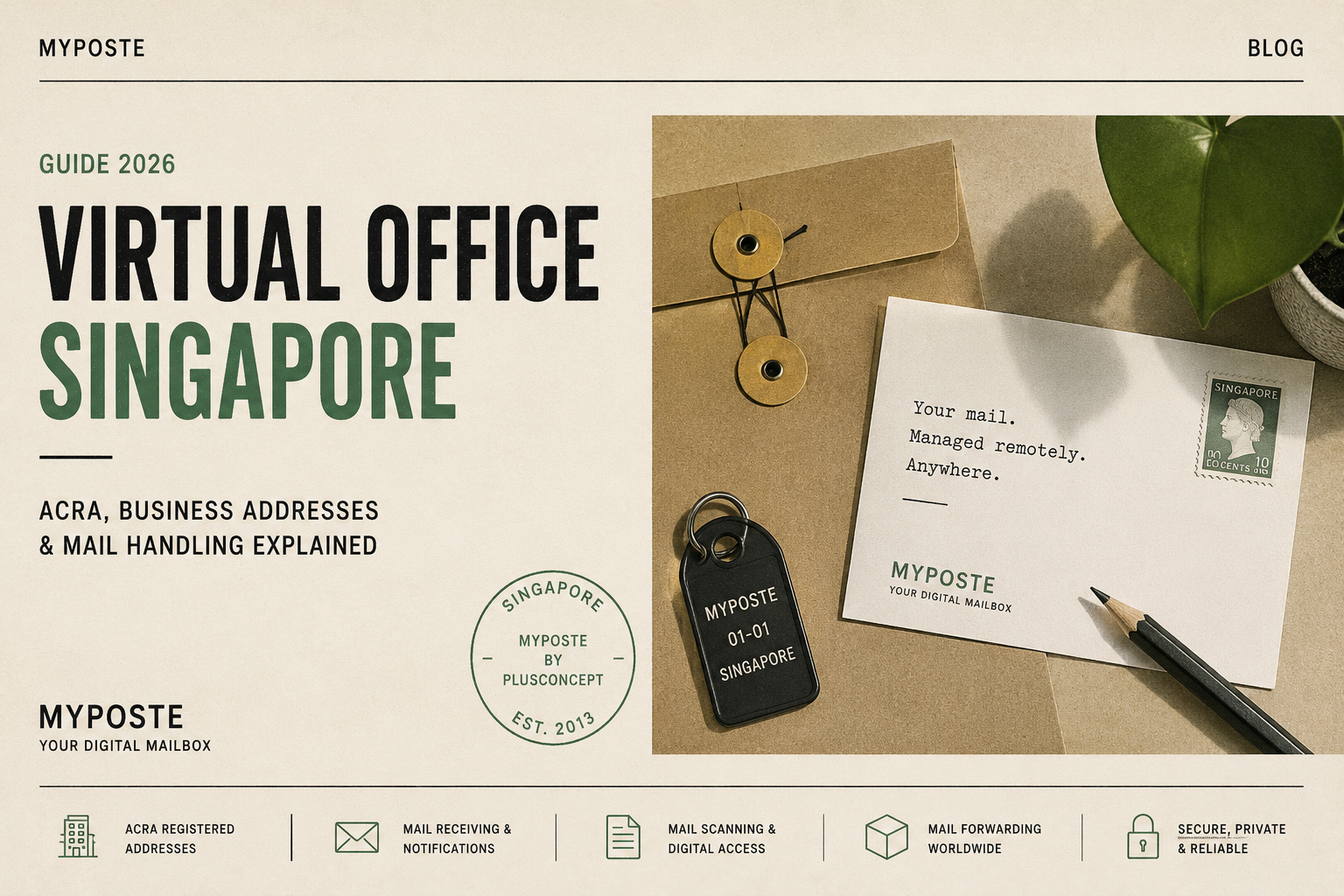
Virtual Office Singapore: Complete 2026 Guide to Business Addresses, ACRA & Mail Handling
Looking for a virtual office in Singapore? Learn about ACRA registered addresses, digital mailboxes, mail scanning, forwarding and what to check before choosing a provider.
A virtual office in Singapore gives your business a professional Singapore address without the cost of renting a traditional office.For startups, small businesses, consultants, overseas founders and companies operating remotely, a virtual office can provide a practical way to establish a business presence in Singapore while managing correspondence from anywhere.But not all virtual office services are the same.Some provide little more than an address. Others operate more like a digital mailbox, notifying you when mail arrives and allowing you to scan, forward, store or dispose of letters remotely.This guide explains how virtual offices work in Singapore, what to consider when choosing one, and how modern digital mail management can make a virtual address considerably more useful.What is a virtual office in Singapore?A virtual office allows a business to use a physical Singapore address without occupying a permanent office at that location.Depending on the provider and plan, services can include:Business or mailing addressRegistered office addressMail receivingMail arrival notificationsMail scanningLocal and international mail forwardingSecure mail storageCollection of mailAdditional administrative services
This makes a virtual office particularly useful for businesses that do not require a permanent physical workspace.For example, a consultant working from home may not want to publish a residential address on company materials. An overseas entrepreneur may need a reliable location for correspondence in Singapore. A small company may simply prefer to spend its money on its business rather than an office it rarely uses.Can a virtual office be used as an ACRA registered address?A Singapore company must maintain a registered office in Singapore.According to ACRA, the registered office is the official location where communications and notices can be sent to the company. The address must be in Singapore and must be open and accessible to the public during the required business hours.Importantly, the registered office does not have to be the same place where the company actually conducts its business.This means that an eligible virtual office address can be used as the registered office of a Singapore company, provided the service and address meet the applicable requirements.Businesses should therefore check that a virtual office plan specifically permits use of the address for company registration rather than assuming that any mailing address can be used as a registered office.Virtual office vs business address vs mailing addressThese terms are often used interchangeably, but they can mean different things.Registered office addressThis is the official Singapore address registered for the company with ACRA.Official correspondence and legal notices can be sent there, and the address is part of the company’s registered information.Business addressA business address is an address used to represent the business to customers, suppliers and other parties.It may appear on invoices, websites, business cards and other correspondence.Mailing addressA mailing address is primarily used to receive letters and other permitted postal items.A good virtual office service can combine these functions, but customers should always check which uses are included in their particular plan.Why use a virtual office instead of your home address?For many small businesses, the alternative to a virtual office is using a residential address.That may be inexpensive, but it is not always desirable.Using a separate business address can help keep your home and business life separate. It can also provide greater privacy and give customers, banks, suppliers and business partners a consistent correspondence address even if you move home.This is particularly useful for entrepreneurs who travel frequently or operate their businesses remotely.What happens when mail arrives at a virtual office?This is one of the biggest differences between virtual office providers.With a basic service, mail may simply accumulate at the address until you collect it or request forwarding.A digital virtual office or digital mailbox goes further.For example, with MYPOSTE, incoming mail is processed and the customer receives an email notification including an image of the received mail item.The customer can then decide what should happen to it.Depending on the item and service, this can include requesting:a content scanphysical mail forwardingsecure shreddingstoragecollectionother available mail-handling actions
This means you don’t necessarily need to travel to the virtual office just to find out what arrived.What is mail scanning?Mail scanning turns physical correspondence into something you can manage remotely.There are generally two stages to consider.Envelope or item scanning lets you see what has arrived.Content scanning allows the contents of an eligible letter or document to be digitised so that you can read it remotely.This can be particularly useful when dealing with time-sensitive correspondence.Instead of forwarding a physical letter overseas and waiting for delivery, you may be able to request a scan and receive the information digitally.For people who travel frequently or manage a Singapore business from another country, this can be one of the most valuable features of a virtual office.Can a virtual office forward mail overseas?Many virtual office providers offer mail forwarding, but the details vary considerably.Before signing up, check:Whether forwarding is available internationallyWhich postal or courier services can be usedWhether forwarding is automatic or on requestHow frequently mail can be forwardedWhether multiple letters can be consolidatedWhat handling charges apply in addition to postage
For an overseas founder, flexible international forwarding may be considerably more useful than a provider designed primarily for customers who collect their mail locally.Virtual office vs PO Box in SingaporeA virtual office and a traditional PO Box solve different problems.A PO Box is primarily designed for receiving postal mail.A virtual office can provide a physical street address and may also offer business-address and registered-office functionality, depending on the service.Modern virtual office services can additionally provide digital mail management, scanning and forwarding.For a business, therefore, the question isn’t simply:“Where can I receive my mail?”A better question is:“What do I want to happen after my mail arrives?”If you are regularly away from Singapore, being able to see and manage incoming correspondence remotely can be much more important than simply having somewhere for letters to accumulate.Who benefits from a virtual office in Singapore?Virtual offices are particularly useful for:StartupsA new company can establish an address without immediately committing to commercial office rent.Small businessesBusinesses that operate primarily online or at client locations may have little need for permanent office space.Consultants and freelancersA separate business address can help maintain a distinction between private and professional correspondence.Overseas foundersEntrepreneurs living outside Singapore can have correspondence received locally and then managed remotely.Frequent travellersBusiness owners who spend significant periods outside Singapore can receive notifications and arrange mail handling without being physically present.Companies with remote teamsIf employees work remotely, maintaining a central address can provide continuity even when the business has no conventional headquarters.What should you look for when choosing a virtual office in Singapore?Price is important, but it shouldn’t be the only consideration.Before choosing a provider, ask these questions.Can I use the address for my intended purpose?If you need an ACRA registered office address, make sure the particular service you choose permits it and meets the relevant requirements.How will I know when mail arrives?Look for clear information about mail notifications and how quickly incoming items are processed.Can I see the incoming item?An image notification can help you decide whether something needs immediate attention.Can you scan the contents?This can be particularly important if you travel or live overseas.Can you forward internationally?Check both availability and charges.How do I instruct you what to do with my mail?A good system should make managing mail remotely straightforward.Can I collect important originals?Check the provider’s collection procedures and whether appointments are required.What happens to unwanted mail?Secure shredding can be useful for documents containing personal or business information.Are there additional handling charges?A low advertised subscription price is less attractive if routine mail handling incurs substantial additional fees.How much does a virtual office cost in Singapore?Prices vary widely because “virtual office” can describe very different services.At the simplest level, you may be paying primarily for use of an address.More comprehensive services can include mail processing, notifications, scanning, forwarding and other administrative functions.Rather than comparing only the annual subscription price, consider the total cost of actually managing your mail.If you receive regular correspondence, the cost and convenience of scanning, forwarding, storage and collection may matter more than a small difference in the base subscription price.A virtual office can be more than an addressThe traditional idea of a virtual office was simple: rent an address without renting the actual office.Digital mail management changes that model.A modern virtual office can effectively become a remote mailroom.Your physical correspondence arrives at a central Singapore location, you are notified digitally, and you decide what should happen next.For businesses operating remotely, that can be considerably more useful than an address alone.MYPOSTE: a digital virtual address in SingaporeMYPOSTE by PlusConcept combines a Singapore address with remote mail-management services for businesses and individuals.Customers can use MYPOSTE for purposes including business correspondence, virtual office services, personal mail and eligible registration-address use depending on the selected service.When an item arrives, MYPOSTE sends an email notification with an image of the received item.Customers can then remotely request actions such as content scanning, forwarding, shredding or collection, depending on the item and service.The aim is simple: you shouldn’t have to physically visit your mailbox just to manage your postal mail.Whether you’re running a small Singapore business, travelling frequently or managing your affairs from overseas, a digital mailbox gives you a practical way to stay connected to your Singapore correspondence.Explore MYPOSTE virtual office and digital mailbox services to find the plan that fits the way you receive and manage mail.Frequently Asked QuestionsCan I use a virtual office for company registration in Singapore?A Singapore company requires a registered office address in Singapore. A virtual office may be suitable if the address and service meet ACRA’s registered-office requirements and the provider permits registration use.Does my registered office have to be where I actually work?No. ACRA states that the registered office does not have to be the same location where the company’s business activities are carried out.Can I receive mail at a virtual office?Yes. Mail receiving is one of the primary functions of most virtual offices, although notification, scanning, forwarding and collection procedures differ between providers.Can my letters be scanned?Some digital mailbox and virtual office providers offer content scanning. This allows eligible physical correspondence to be converted into a digital document that can be accessed remotely.Can my mail be forwarded overseas?Some Singapore virtual office providers offer international mail forwarding. Check the provider’s destinations, postage options, handling charges and procedures before subscribing.Is a virtual office suitable if I live outside Singapore?It can be particularly useful for overseas founders and frequent travellers if the provider offers digital notifications, content scanning and international forwarding.Can individuals use a virtual mailbox?Yes. Digital mailbox services can also be useful for individuals who want a separate Singapore mailing address, travel frequently, live overseas or prefer not to use their residential address for certain correspondence.MYPOSTE × SLEEK
MYPOSTE × SLEEK
Everything you need to start and run your business in Singapore.
📮 Myposte by PlusConcept — digital PO box, virtual office, mail scanning & forwarding. (Myposte by Plusconcept)
⚡ Sleek — company incorporation, corporate services, accounting, tax & more.
To mark our collaboration, enjoy S$100 OFF Sleek services

Everything you need to start and run your business in Singapore.
📮 Myposte by PlusConcept — digital PO box, virtual office, mail scanning & forwarding. (Myposte by Plusconcept)
⚡ Sleek — company incorporation, corporate services, accounting, tax & more.
To mark our collaboration, enjoy S$100 OFF Sleek services with voucher code:
AF00067
Or access the offer directly:
Claim your S$100 Sleek offer →
Start. Operate. Grow. — made simpler.

Is a Virtual Office Worth It in Singapore? (Real Pros & Cons)
If you’re considering a virtual office Singapore, the answer depends on how you run your business.
With options like mail scanning service Singapore, you can manage everything remotely.
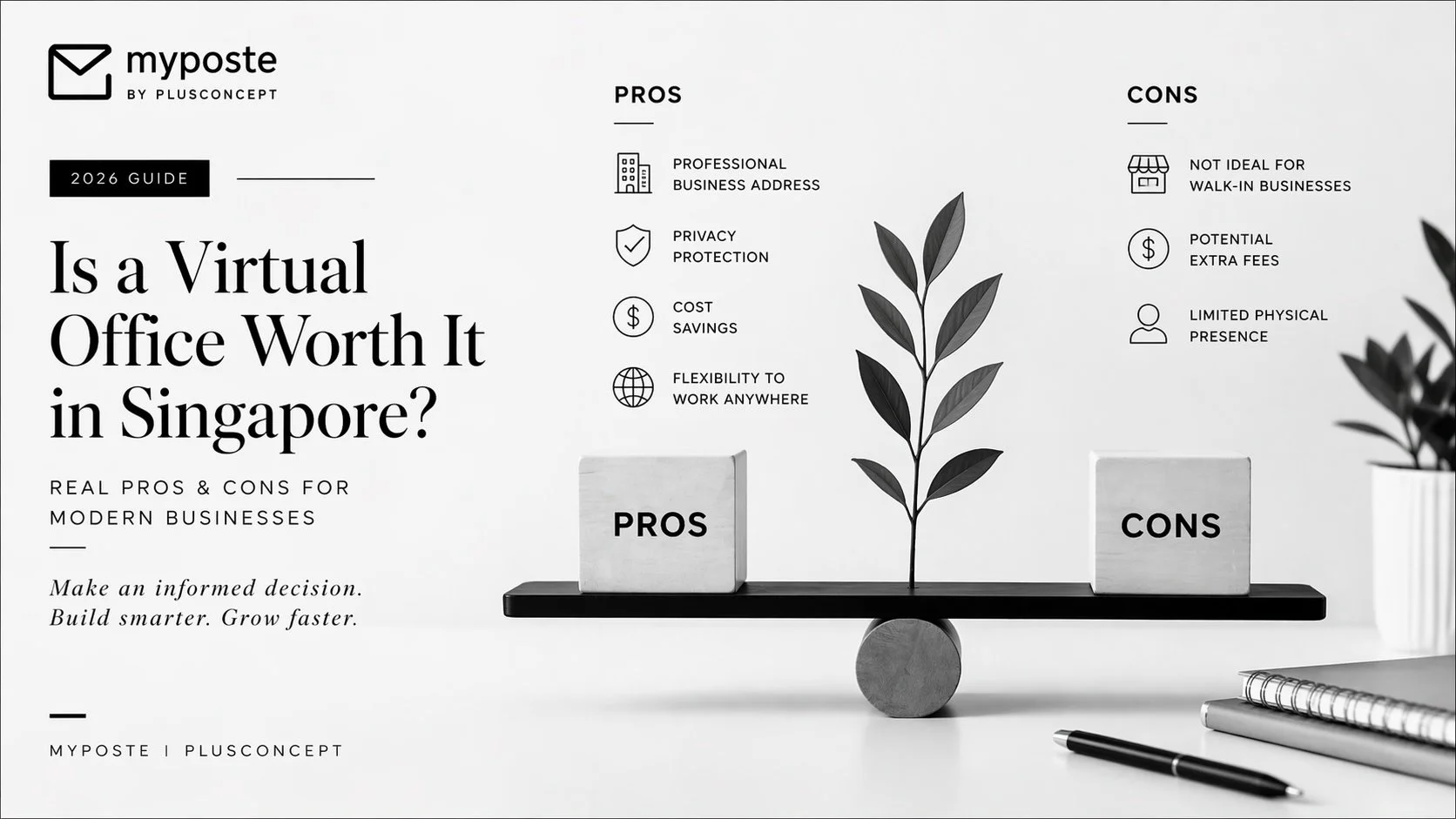
If you’re considering a virtual office Singapore, the answer depends on how you run your business.
Pros
Professional business address
Privacy protection
Lower costs
Flexibility
With options like mail scanning service Singapore, you can manage everything remotely.
Cons
Not suitable for walk-in businesses
Some providers charge extra fees
When It’s Worth It
Freelancers
Remote teams
Overseas companies
Smart Setup
Pair a virtual office Singapore with efficient mail forwarding Singapore to stay fully operational anywhere.
Conclusion
For most modern businesses,
👉 it’s not just worth it — it’s essential.

MYPOSTE Digital Mailbox & Letter Scanning Service Explained
MYPOSTE modernises traditional postal mail by combining a secure mailing address with digital document management. Physical mail is received, processed and transformed into searchable digital documents that can be accessed online from anywhere in the world. Customers remain in complete control of every mail item and decide whether each original document should be archived, forwarded or securely destroyed.

What is MYPOSTE?
MYPOSTE is a digital mailbox and mail scanning service that transforms physical postal mail into digital documents. Instead of receiving letters at a home or office address, mail is delivered to a dedicated MYPOSTE mailing address where it is securely processed, scanned, and made available online.
The service enables individuals, remote workers, expatriates and businesses to access their postal mail from anywhere in the world without needing physical access to a mailbox.
⸻
How the service works
1. Receive mail
Each customer receives a dedicated MYPOSTE mailing address.
Letters from banks, government agencies, customers, suppliers, family members and other senders can all be delivered to this address.
Mail can also be redirected from an existing address.
⸻
2. Mail arrival
As soon as a letter arrives:
The mail item is registered.
The outside of the envelope is photographed or scanned.
The customer receives an email notification.
An envelope preview becomes available in the customer’s online mailbox.
At this stage, the envelope remains unopened.
⸻
3. Customer decides what happens
Customers remain in full control of every mail item and can choose the next action for each individual letter.
Available options may include:
Open and scan the contents
Keep the envelope unopened
Archive the original document
Securely shred the original
Forward the physical mail to another address
⸻
4. Letter scanning
If scanning is requested, the envelope is carefully opened and every page is scanned.
The scanned document is uploaded as a searchable PDF.
Customers can then:
Read documents online
Download files via email
Store documents digitally
⸻
5. Digital archive
Scanned documents remain securely stored for future reference.
Physical originals may be archived for a period of time or forwarded or securely destroyed according to the customer’s instructions and service plan.
⸻
Main Features
Digital Mailbox
A dedicated mailing address that receives physical postal mail on behalf of the customer.
⸻
Mail Notifications
Customers receive notifications whenever new mail arrives, eliminating the need to manually check a physical mailbox.
⸻
Envelope Preview
Before deciding what to do, customers can view the outside of each envelope to identify:
Sender
Return address
Priority
Type of correspondence
⸻
On-Demand Letter Scanning
Only the mail selected by the customer is opened and scanned, allowing complete control over mail processing.
⸻
Searchable PDF Documents
Scanned documents are processed fully searchable and easy to retrieve.
⸻
Secure Physical Archive
Mail is organised into a secure physical archive where documents can be searched, downloaded and managed whenever needed.
⸻
Worldwide Mail Forwarding
Original documents can be forwarded anywhere in the world whenever physical copies are required.
This is particularly useful for:
Passports
Certificates
Contracts
Legal documents
Government correspondence
⸻
Secure Shredding
After successful digitisation, customers may request the secure destruction of original documents, reducing paper storage and improving document management.
⸻
Who Uses MYPOSTE?
MYPOSTE is designed for a wide range of customers.
Individuals
Frequent travellers
Expats
Digital nomads
Overseas residents
Privacy-conscious users
Businesses
Start-ups
Small and medium-sized businesses
Consultants
Freelancers
International companies
Remote teams
Businesses adopting paperless operations
⸻
Key Benefits
Access Mail Anywhere
Customers can securely access their mail from:
Desktop computers
Laptops
Tablets
Smartphones
⸻
Faster Access to Important Documents
Important correspondence becomes available digitally shortly after processing, reducing delays associated with physical mail.
⸻
Paperless Administration
Digital mail management significantly reduces the need for paper filing and physical storage.
⸻
Better Organisation
Digital documents are easier to:
Categorise
Search
Archive
Retrieve
Share
⸻
Supports Remote Working
Businesses no longer require someone to be physically present to receive and open incoming mail, making MYPOSTE well suited to distributed teams and flexible workplaces.
⸻
Business Continuity
Mail continues to be received and managed regardless of whether staff are travelling, working remotely or operating internationally.
⸻
Typical Workflow
Mail arrives at MYPOSTE.
The envelope is registered and photographed.
The customer receives a notification.
The customer reviews the envelope preview.
The customer selects the preferred action.
If requested, the contents are scanned.
A searchable PDF is uploaded to the online mailbox.
The customer accesses the document online.
The original is archived, forwarded or securely shredded according to the customer’s instructions.
⸻
Common Use Cases
MYPOSTE is suitable for:
Receiving business correspondence
Managing company administration remotely
Accessing government letters while overseas
Handling tax documents
Managing legal correspondence
Maintaining a permanent mailing address
Operating a paperless office
Supporting international entrepreneurs
Receiving mail while travelling or living abroad
⸻
Overall Concept
MYPOSTE modernises traditional postal mail by combining a secure mailing address with digital document management. Physical mail is received, processed and transformed into searchable digital documents that can be accessed online from anywhere in the world. Customers remain in complete control of every mail item and decide whether each original document should be archived, forwarded or securely destroyed.
Start with a trusted virtual office Singapore setup here.

How to Choose a Virtual Office in Singapore (2026 Checklist)
Choosing the right virtual office Singapore provider can save you time, money, and stress.
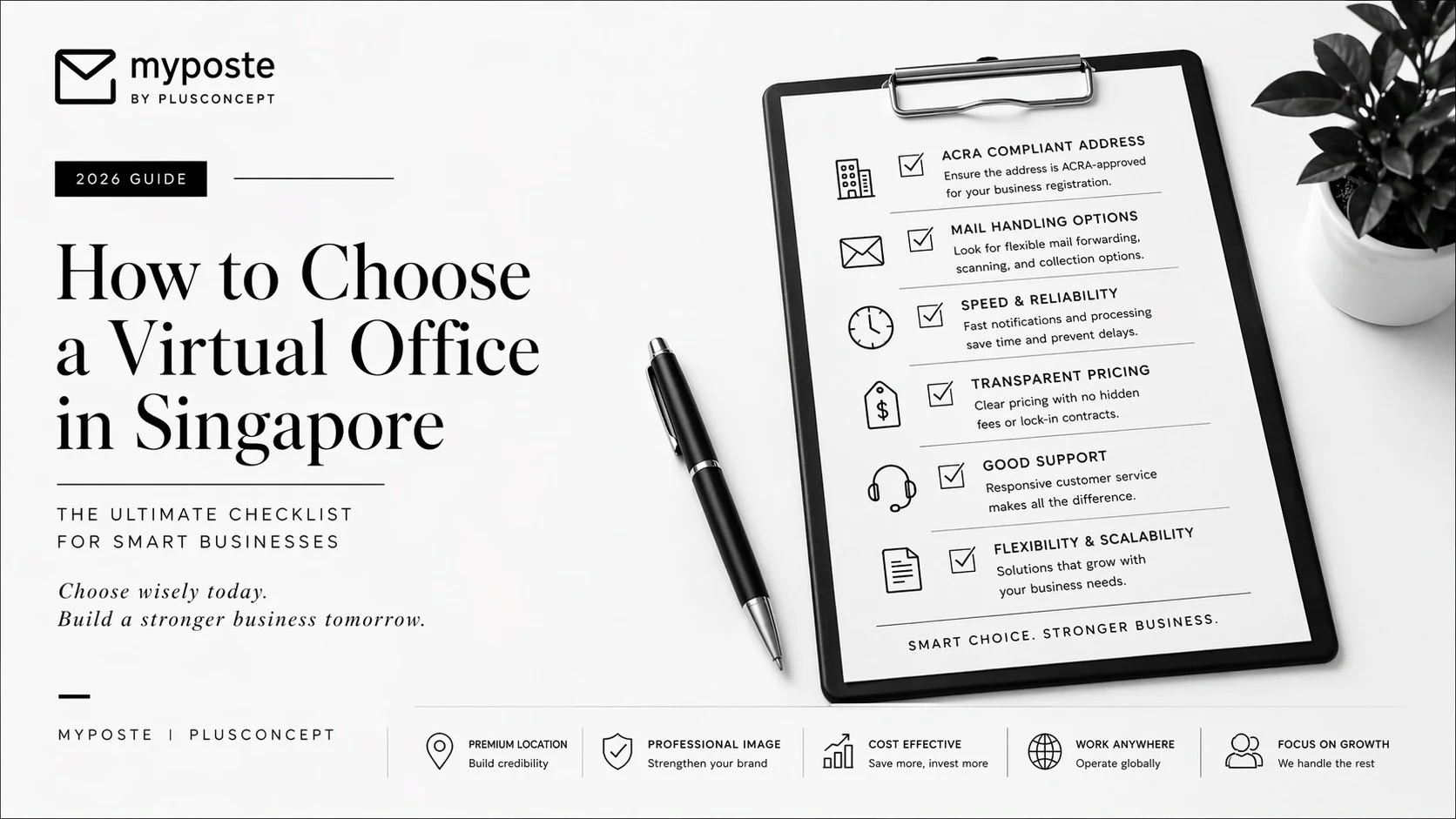
Choosing the right virtual office Singapore provider can save you time, money, and stress.
1. ACRA Compliance
Ensure your address can be used legally.
👉 A good virtual office Singapore provider will clearly state this.
2. Mail Handling Options
Look for:
Forwarding
Scanning
Notifications
👉 Compare mail forwarding Singapore services carefully.
3. Speed & Efficiency
Slow processing can cause missed documents.
👉 This is where mail scanning service Singapore becomes critical.
4. Transparent Pricing
Avoid hidden fees.
Final Advice
Don’t choose based on price alone.
Choose based on:
👉 reliability
👉 workflow efficiency
👉 ease of use
Start with a trusted virtual office Singapore setup here.

How Mail Forwarding Works in Singapore (Step-by-Step Guide)
Understanding mail forwarding Singapore services is crucial when choosing a virtual office.
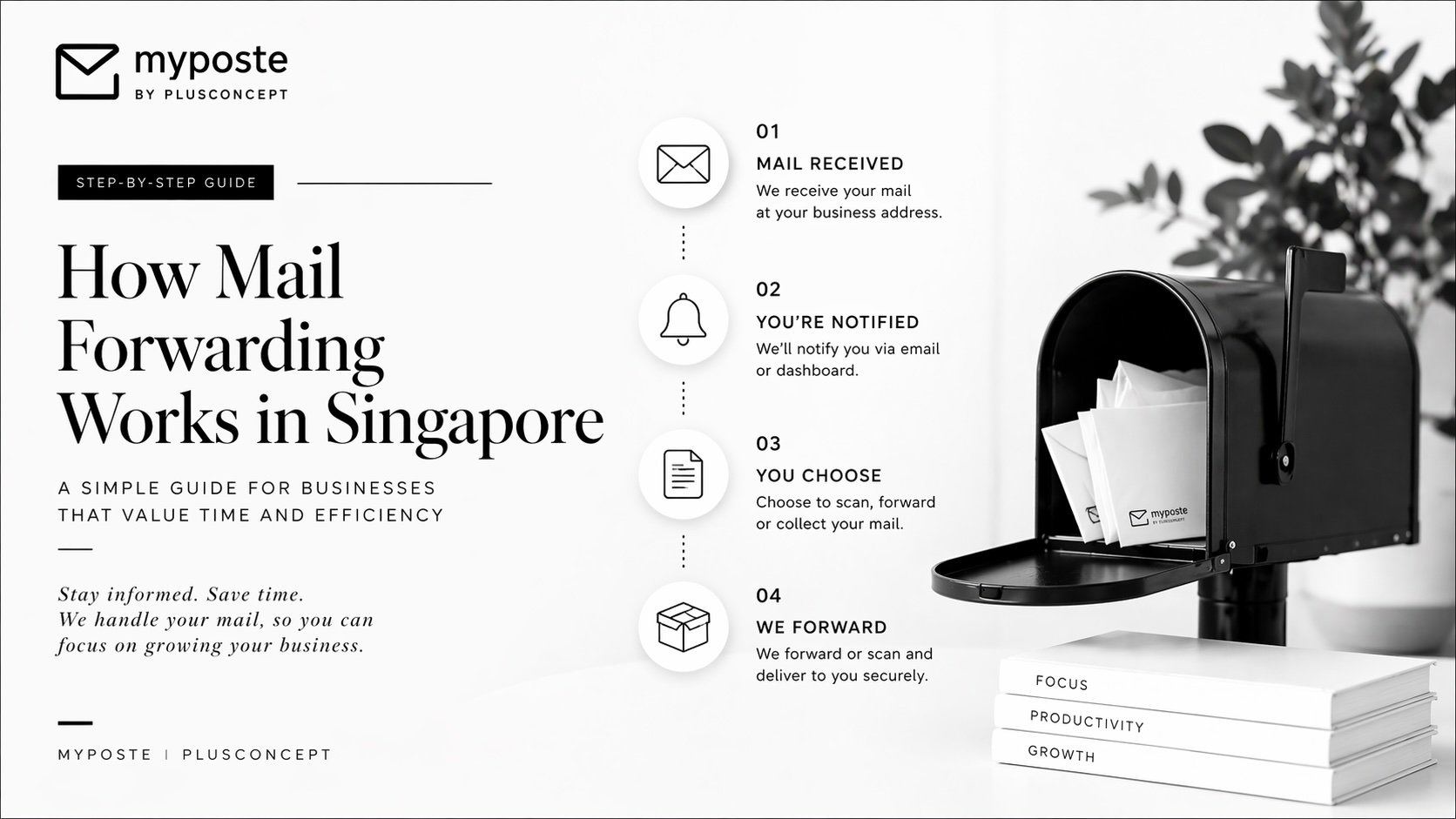
Understanding mail forwarding Singapore services is crucial when choosing a virtual office.
Step 1: Mail Arrival
Your letters are received at your virtual office Singapore address.
Step 2: Notification
You get alerted via email or dashboard.
Step 3: Choose Action
You can:
Forward mail
Scan to PDF
Collect in person
For urgent documents, many businesses prefer mail scanning service Singapore for instant access.
Step 4: Dispatch
Mail forwarding providers send your items locally or overseas.
👉 Learn more about flexible mail forwarding Singapore options here.
Key Insight
Forwarding = physical delivery
Scanning = instant digital access
Most modern businesses combine both.

UPDATE REMINDER 001 MYPOSTE FIREHORSE
We’re excited to announce our new 2026 collaboration with the modules.
most prime and stylish office concept in the heart of Katong.
We upgraded our location, receiving options, facility security facility and more.
Right at the vibrant corner of Joo Chiat Rd & East Coast Rd.
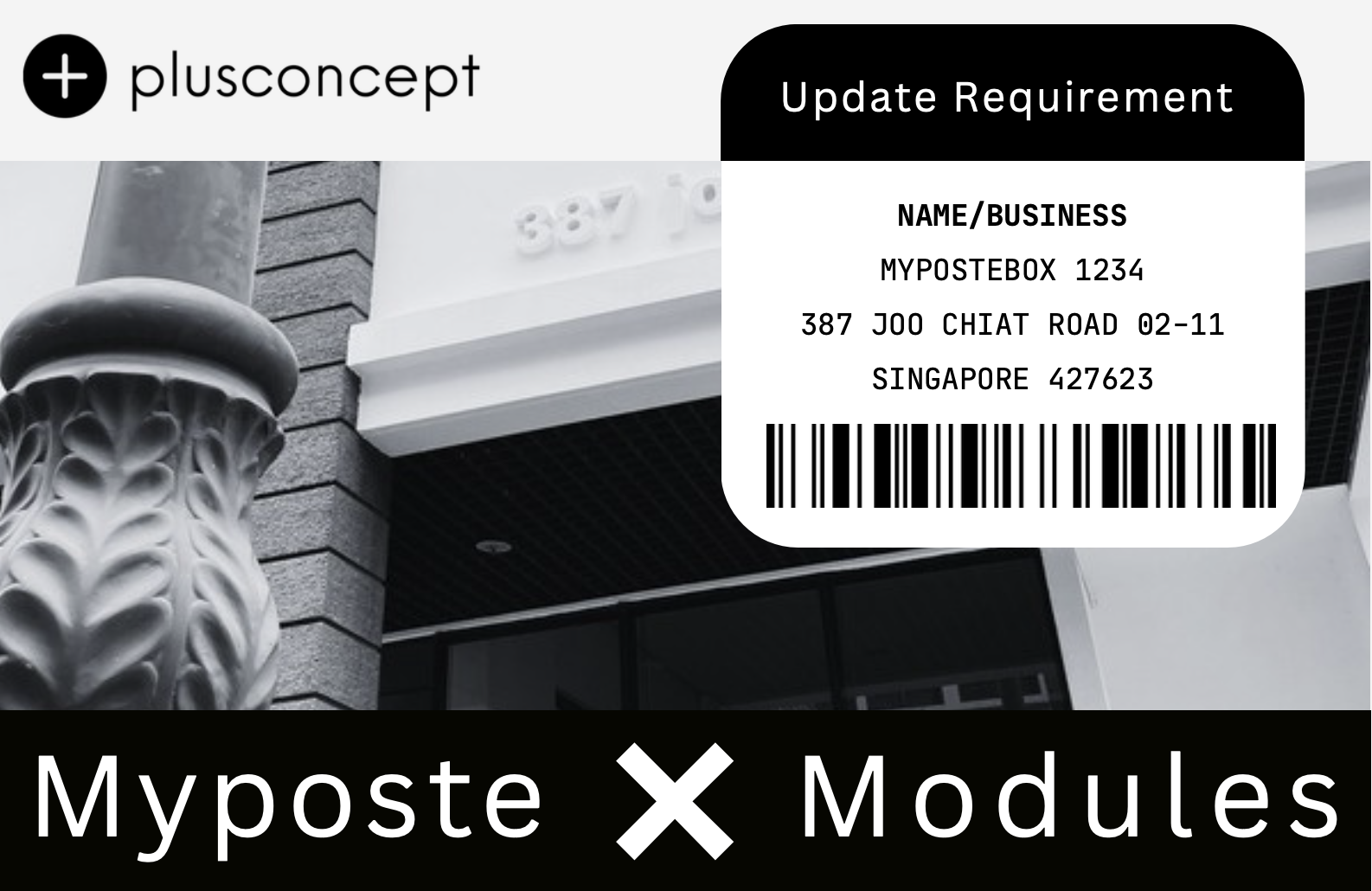
I M P O R T A N T U P G R A D E R E M I N D E R
To keep and improve the functionality of your MYPOSTE address and to avoid delayed or lost mail kindly update your Mypostebox at your earliest convenience !
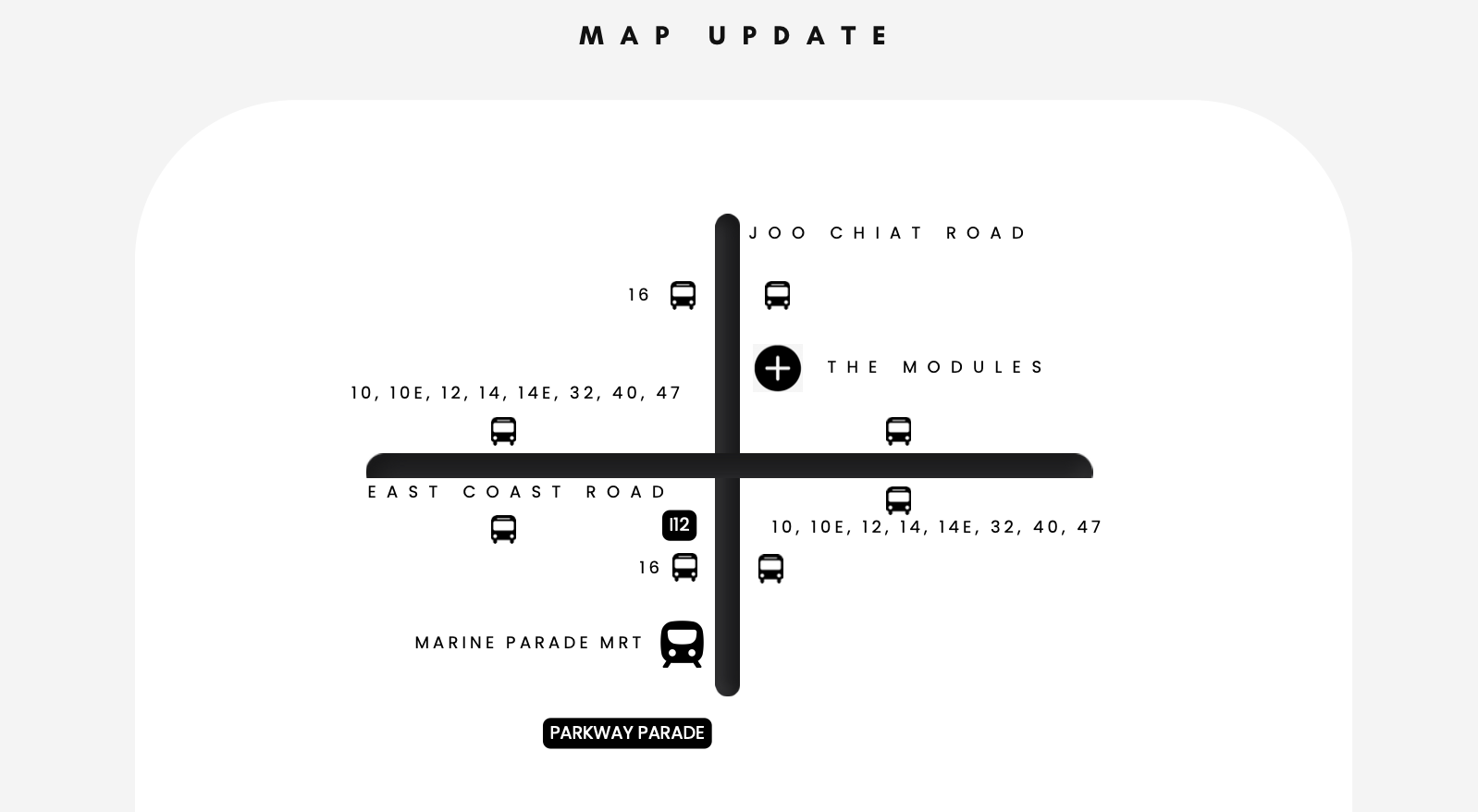
A C C O U N T U P D A T E
TO KEEP YOUR ACCOUNT RUNNING SMOOTHLY CUSTOMERS ARE REQUIRED
TO UPDATE THE FOLLOWING
◼
❗ UPDATE YOUR RECEIVING ADDRESS
❗ USE YOUR ORIGINAL PO BOX NUMBER
❗ ALL COLLECTIONS @MODULES
❗ ITEMS WILL BE STILL TRANSFERRED FOR A LIMITED TIME
THANK YOU FOR YOUR OUTSTANDING SUPPORT. ANY QUESTIONS FEEL FREE TO CONTACT US.

Virtual Office vs Physical Office Singapore: Which One Makes Sense?
Businesses today are shifting away from traditional offices — and for good reason.
A virtual office Singapore setup allows you to maintain a professional presence without high rental costs.
Businesses today are shifting away from traditional offices — and for good reason.
A virtual office Singapore setup allows you to maintain a professional presence without high rental costs.
Cost Comparison
Physical office: $2,000–$8,000/month
Virtual office: from a few dollars per month
The savings alone make virtual offices highly attractive.
Why Virtual Offices Win
Remote flexibility
Lower overhead
Faster setup
Combined with services like mail forwarding Singapore, you can operate globally without being physically present.
The Hybrid Model
Many companies now:
Use a virtual office for admin
Rent meeting rooms only when needed
Final Thought
Unless you need daily physical space,
👉 a virtual office Singapore setup is the smarter choice.

Best Virtual Office Singapore (2026 Guide for Startups & SMEs)
If you’re searching for the best virtual office Singapore, you’re likely comparing price, reliability, and features.But here’s what most guides don’t tell you:
👉 the real difference is how efficiently your mail is handled daily.A strong virtual office Singapore solution should not just give you an address — it should simplify your operations.

If you’re searching for the best virtual office Singapore, you’re likely comparing price, reliability, and features. But here’s what most guides don’t tell you:
👉 the real difference is how efficiently your mail is handled daily. A strong virtual office Singapore solution should not just give you an address — it should simplify your operations.
What a Virtual Office Includes
Most providers offer: ACRA-compliant business address Mail notifications Mail forwarding or scanning. However, the difference lies in execution. For example, some providers batch shipments weekly, while others offer faster mail forwarding Singaporeoptions depending on urgency.
What Actually Matters
Instead of just comparing pricing, focus on:Speed of notificationAccuracy of mail handlingFlexibility (scan vs forward)If you operate remotely, having access to mail scanning service Singaporecan drastically improve workflow speed.
Final Verdict
The best virtual office is not the cheapest —
it’s the one that removes friction from your business.👉 Explore a streamlined virtual office Singapore solution heredesigned for modern businesses.